
HeartCast Adds Support For Google Fitbit Air and All External Bluetooth Heart Rate Monitors
Ditch the Strap, or not?
With the release of the Google Fitbit Air, we thought, why not! HeartCast recently added support for AirPods Pro 3, without an Apple Watch. Providing support for additional Bluetooth HRM devices was the next logical step.
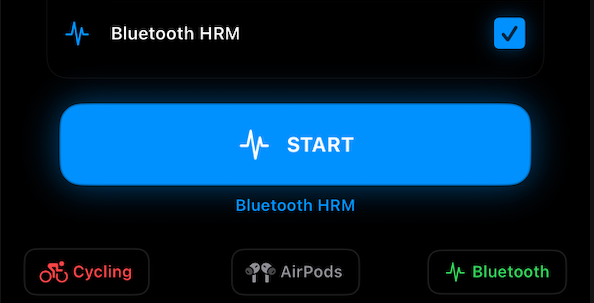
More and more devices can measure heart rate, but not every device gives iPhone users the same power and flexibility as HeartCast! With the latest release, you can now use HeartCast to visualize, even listen to, your other Bluetooth HRM devices on your iPhone and manage the connection to your Fitness Equipment and Bike Trainers. Enhance your new Fitbit with all the features HeartCast brings, including Audible Alerts, Heart Rate Zones, Visualization, and Apple Health support.
HeartCast can now read heart rate from external Bluetooth heart rate monitors that support the standard BLE Heart Rate Service, including new devices such as the Google Fitbit Air.
This is especially useful for devices that are not able to save workout heart-rate data directly to Apple HealthKit, or for users who want their iPhone to act as a live heart-rate display while still connecting to equipment like Peloton, Zwift, Rouvy, bike computers, and other Bluetooth-compatible fitness gear.
What's New
HeartCast can now:
- Scan for nearby Bluetooth heart rate monitors.
- Connect to supported BLE HRM devices.
- Display live heart rate from the connected device.
- Disconnect and reconnect seamlessly.
- Optionally save periodic heart-rate samples to Apple Health.
- Continue broadcasting heart rate to supported fitness equipment during iOS-only workouts.
We've also packed this release with
- Bug fixes and major Bluetooth connectivity improvements to help improve connecting to your fitness equipment.
- New Workout and Bluetooth Managers easily accessible on the main screen.
- Updated user interface design to simplify HeartCast and make starting a workout easier than ever.
Why We Built This
HeartCast started as a way to broadcast Apple Watch heart rate to gym equipment without needing a chest strap. But the wearable landscape is changing. Devices like the Fitbit Air are small, screenless, and designed to be worn all day, yet users may still want more control over how their heart rate appears during workouts.
HeartCast continues to give users the option to use the heart-rate monitor they already wear, while letting HeartCast handle display, Bluetooth broadcasting, and optional Apple Health integration.
Privacy First
HeartCast still processes heart-rate data locally on your devices. Bluetooth HRM data is used for live display, optional Apple HealthKit saving, and nearby Bluetooth broadcasting only.
Please let us know if you find this feature valuable, and definitely tell us about your unique HeartCast setups!